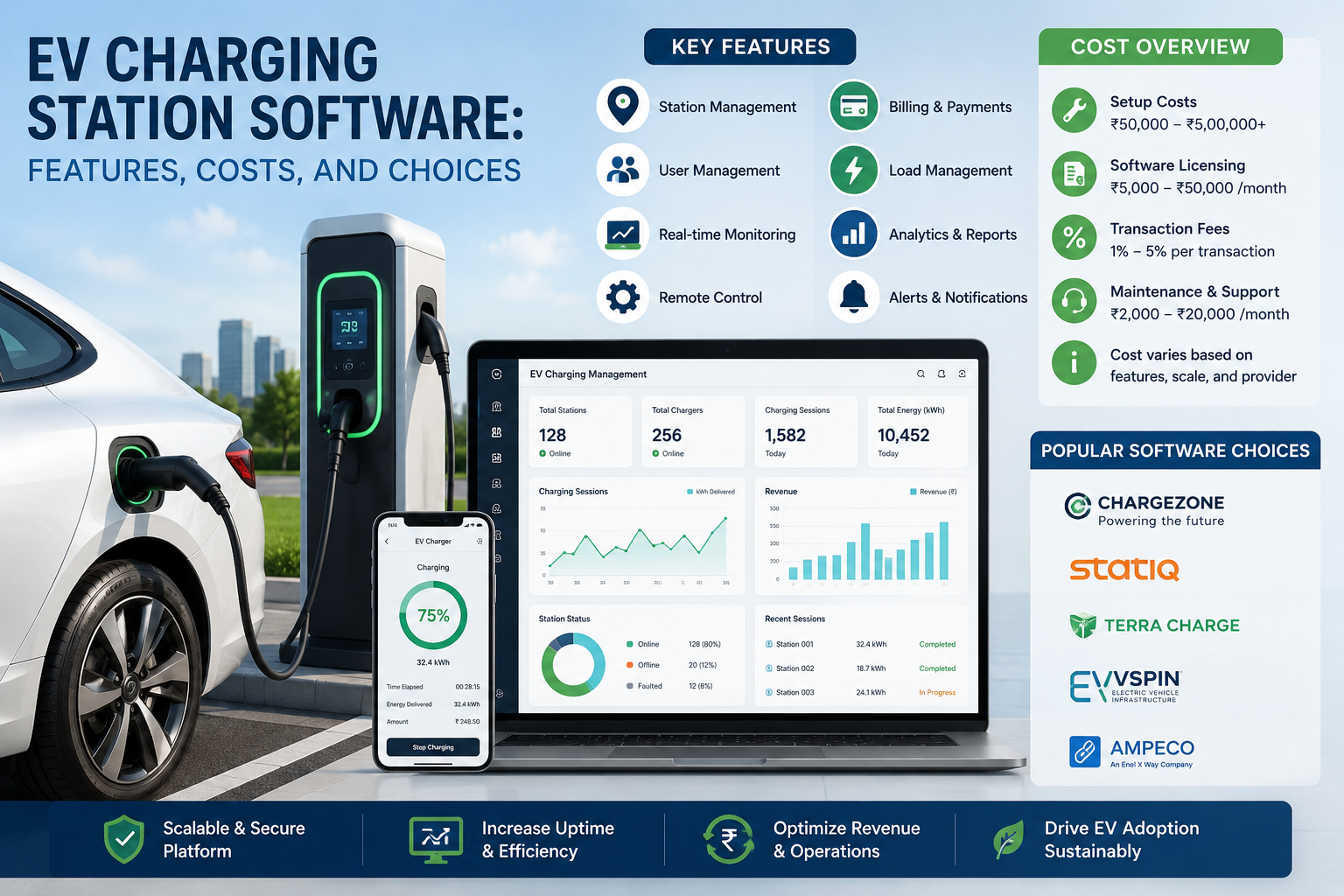
A charger that powers on but won’t accept payment creates an instant problem for drivers and site owners. EV charging station software keeps that moment from becoming a support call, a lost sale, or an empty parking space.
The software connects chargers, drivers, property owners, utilities, and payment services in one operating system. As networks grow, the right platform helps sites stay available, control energy costs, and give drivers a simple way to charge.
What Is EV Charging Station Software and How Does It Work?
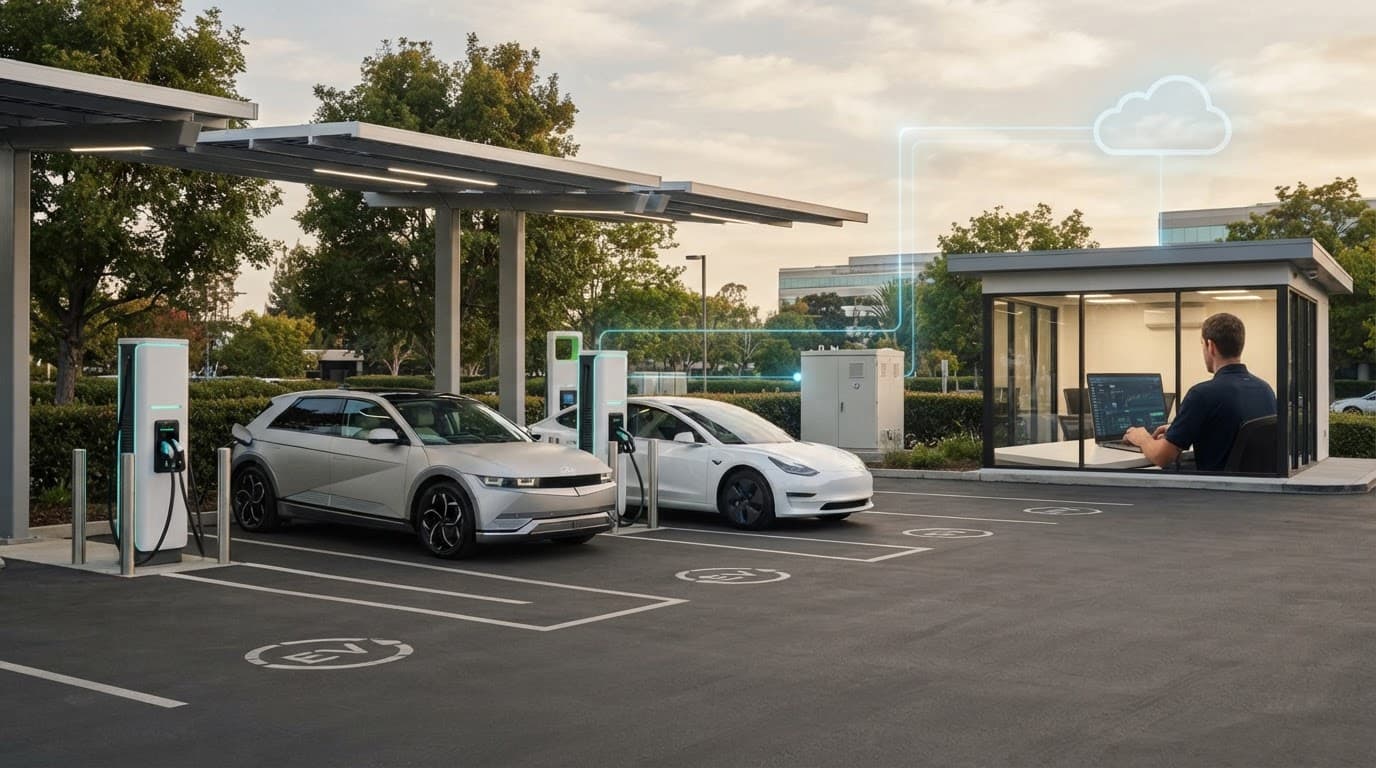
EV charging station software is the cloud-based system that manages connected chargers. It is often called a charging station management system, or CSMS. The charger sends status updates and session data to the CSMS, which records energy delivered, manages access, and flags faults.
A driver may start a session with a mobile app, RFID card, QR code, credit card reader, or account-based subscription. Meanwhile, the software checks authorization, applies the right price, and records the payment. At the end of the session, it can send a receipt and update reports for the operator.
Hardware, software, and customer-facing tools have different jobs. The charger is the physical equipment that delivers electricity. The CSMS runs operations in the background. A driver app or web portal is the part people use to find stations, begin a charge, and review receipts.
The Main Types of Charging Software
Private workplace and fleet platforms focus on controlled access, employee billing, vehicle schedules, and energy limits. A fleet with overnight depot charging needs dependable scheduling and load management more than public maps and walk-up payments.
Public networks need live availability, payment support, pricing rules, driver assistance, and tools for many sites. Multifamily properties often need resident access, visitor pricing, and a fair way to allocate electricity costs.
Dealerships may offer complimentary charging and track use by customer or vehicle. Home charging software is usually simpler, with scheduling, energy history, and utility rate settings. The right EV charging station software depends on who owns the site, who can plug in, and how revenue works.
How OCPP, APIs, and Roaming Keep Systems Connected
Open Charge Point Protocol, or OCPP, lets a charger communicate with management software. The Open Charge Alliance’s OCPP overview describes it as a global communication protocol between charge points and management systems. OCPP 1.6J remains common, while OCPP 2.0.1 adds stronger support for security, smart charging, and device management.
APIs connect the CSMS to payment gateways, fleet systems, building-energy tools, maps, and branded customer apps. Ask what data the API exposes before signing a contract.
Roaming adds another layer. It lets a driver use chargers run by another operator through a participating account or service provider. OCPP handles charger-to-backend communication, while roaming relies on data exchange between providers, as this guide to OCPP and OCPI explains.
Why Charging Software Matters After Installation
Installation day is only the start of a charging program. Chargers need internet connectivity, current firmware, payment settings, usage records, and staff who can handle exceptions. Software turns a group of electrical devices into a service that can be operated day after day.
For a retail property, that may mean seeing whether a charger is occupied or out of service before a customer complains. For a fleet depot, it can mean charging vehicles during lower-cost hours without exceeding the site’s electrical capacity. A property manager can also separate resident, visitor, and staff access without manually reconciling every session.
An available charger is more valuable than a larger network on paper. Uptime data, error alerts, and clear support ownership matter as much as the equipment’s power rating.
Good operational data also helps with expansion. If utilization stays low, another charger may not be the next expense to approve. If existing units are busy at predictable times, reports can support a stronger case for added capacity or revised pricing.
Key EV Charging Station Software Features to Look For
Feature lists can look similar, so focus on daily work. The strongest platform fits your access rules, billing model, electrical limits, and support capacity.
Remote Monitoring, Alerts, and Charger Control
Operators need a live view of charger status, active sessions, connector faults, and network connections. Automatic alerts can notify staff when a unit goes offline, reports an error, or stays occupied after charging ends.
Remote start and stop controls help support teams resolve simple access issues. Firmware updates and remote diagnostics can reduce unnecessary site visits. Maintenance records and uptime reports also show whether a recurring fault belongs to the charger, the network connection, or the electrical supply.
Payments, Pricing, User Access, and Reporting
Public sites may accept tap-to-pay cards, mobile wallets, app payments, RFID cards, memberships, and invoicing. Private sites may limit access to approved employees, residents, drivers, or guests.
Pricing can be based on energy delivered, time connected, a flat session fee, or idle time after charging stops. Some operators also use demand-aware pricing where local rules allow it. Look for revenue reports, tax records, refund tools, and exports that match your accounting process.
Smart Charging and Energy Management
Smart charging adjusts power delivery based on site limits, utility rates, vehicle needs, and operating rules. Load balancing shares available capacity across connected vehicles, so a site may avoid a costly service upgrade.
Schedules can shift charging to off-peak periods. Dynamic power limits can protect a building when other electrical loads rise. Platforms may also coordinate with on-site solar, battery storage, or utility demand-response programs.

Driver Apps, Maps, and Accessibility
Drivers need accurate availability, clear pricing, navigation, receipts, and a way to report a problem. Reservation support can help at sites where timing matters, although it needs clear rules so reserved chargers don’t sit unused.
Payment should take few steps. Accessible interfaces, multiple languages, and alternatives to app-only payment improve the experience for more drivers. Public operators should also verify that station status reaches mapping services quickly, because stale data damages trust.
EV Charging Station Software Options, Providers, and Costs
The market includes hardware manufacturers, network operators, white-label providers, and enterprise software firms. ChargePoint, Wallbox, Blink, EV Connect, Driivz, AMPECO, SWTCH, and FLO cover different parts of that market. Their products, coverage, pricing, and integrations can change, so confirm current details directly.
Cloud Platforms, White-Label Software, and Hardware Bundles
A branded cloud platform can get a site online quickly and includes network support. However, its hardware compatibility and data export options may be limited.
White-label software gives an operator a branded driver app and portal without building a platform from scratch. It often suits companies that want control over the customer relationship. A charger bundle can be easier to purchase, though it may tie software choices to one manufacturer.
Self-hosted or custom-built systems offer more control but require internal technical resources, security practices, and long-term maintenance. This comparison helps frame the tradeoffs:
| Option | Best fit | Main tradeoff |
|---|---|---|
| Hardware bundle | Small sites seeking quick setup | Less flexibility later |
| Network cloud platform | Public or multi-site operations | Ongoing platform dependence |
| White-label software | Brands building a charging service | More configuration and support work |
| Custom system | Large operators with technical teams | Higher build and maintenance costs |
Hardware independence, reliable support, and data ownership often matter more over five years than the fastest initial launch.
What Does EV Charging Software Cost?
Many providers charge a monthly fee per charger. Others add transaction fees, software tiers, setup costs, premium support, payment processing, or custom integration charges. Prices vary by charger count, public access, and feature needs.
Separate software fees from hardware, electrical installation, networking, electricity, maintenance, demand charges, permits, and compliance costs. A DC fast-charging site may face a different cost structure than a few Level 2 workplace chargers.
Calculate total cost of ownership over several years. Include expected utilization, payment revenue, support labor, downtime, and future expansion. A lower monthly fee isn’t a better deal if it restricts useful integrations or creates expensive manual work.
How to Choose and Launch the Right Charging Software
Choose based on the site’s operating model, not a short feature checklist. The platform should work with your chargers today and leave room for more ports, locations, vehicles, and payment methods later.
Match the Platform to Your Site and Business Model
Start with charger count, AC or DC fast charging, public or private access, and likely daily demand. Fleet managers should map vehicle return times, required range, and utility rate periods. Property managers should decide who pays, how guests access chargers, and whether residents need recurring accounts.
Ask vendors how they handle multi-site reporting, customer support, branded communications, data exports, and service-level agreements. Also ask who owns charger data and driver account data if the contract ends.
The best EV charging station software for a small apartment property may be a poor match for a regional fleet. Match pricing and features to the actual use case.
Check Compatibility, Security, and Reliability Before Buying
Request documented OCPP support and test it with the charger models you plan to install. The Open Charge Alliance’s certification resources can help buyers understand the value of tested interoperability. Confirm cellular and Wi-Fi requirements, offline behavior, and whether the platform supports hardware from more than one manufacturer.
Security reviews should cover payment protection, role-based permissions, encryption, software updates, backups, and incident response. For public stations, payment design matters as much as account security.
Get uptime targets and support response times in writing. Review warranty terms and exit options. The ability to change hardware or software providers later protects the investment if service quality declines.
Plan the Rollout and Measure Results
Audit the electrical system before installation. Then connect chargers, set access groups and prices, test payments, train staff, and publish accurate station details. During the first weeks, monitor sessions closely and resolve recurring issues before they become routine.
Track a small set of operating measures:
- Uptime and successful session rate show whether drivers can complete a charge.
- Utilization and average charge time reveal when chargers need more capacity or different pricing.
- Revenue, energy delivered, and cost per session show financial performance.
- Support tickets and error codes identify training gaps, equipment faults, or payment friction.
Review those results monthly. Small changes to access rules, idle fees, or charging schedules can improve results without installing another charger.
Final Thoughts
The right EV charging station software connects dependable hardware with easy driver tools, secure payments, useful operating data, and practical energy controls. It should make charging less confusing for drivers and less labor-intensive for the people responsible for the site.
Compare compatibility, total cost, security, support, and room for growth before committing to a provider. Define the site’s goals, request live demonstrations, and test the full charging experience before rollout.