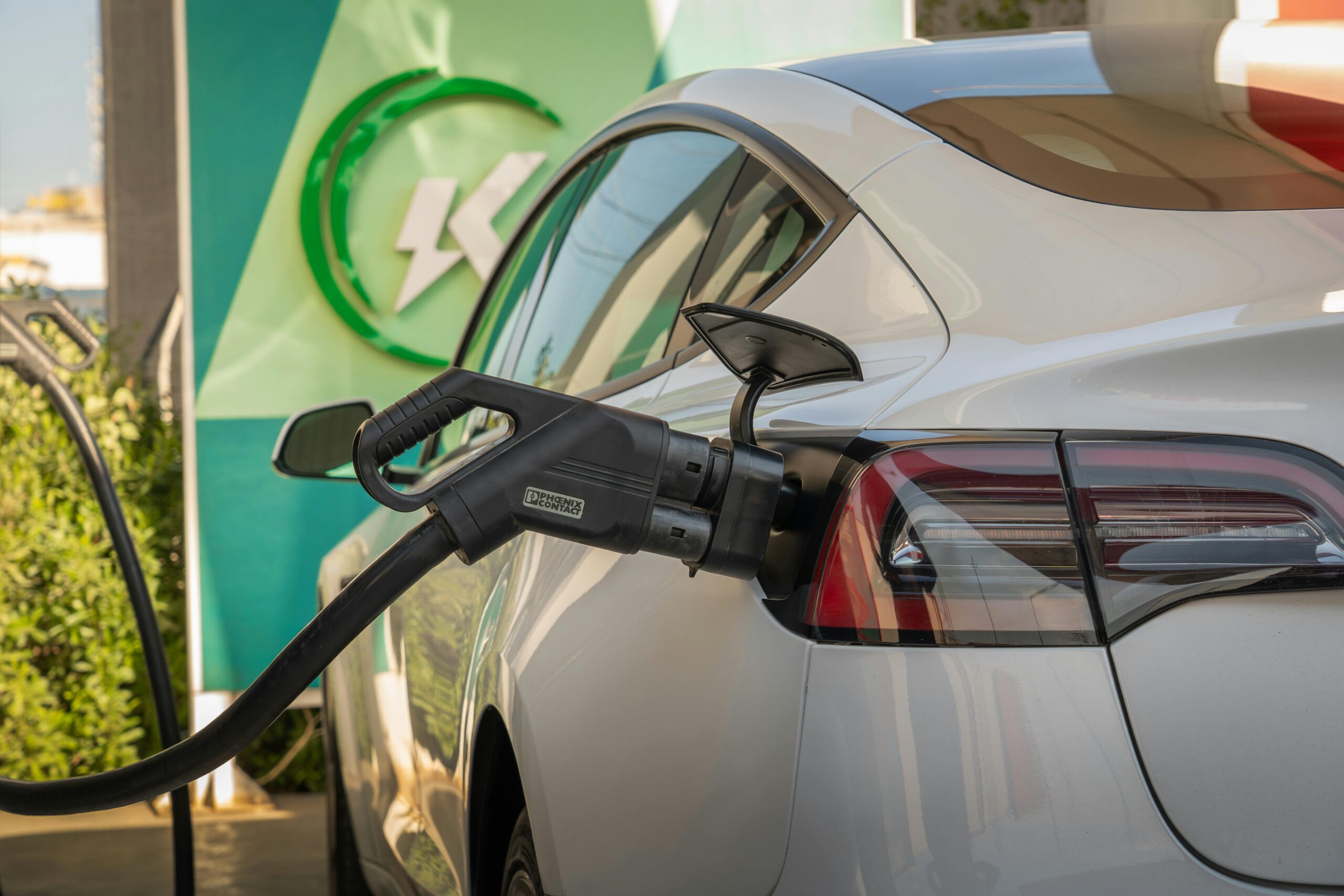
Typing ev charging stations Tesla into a search bar usually means one thing: you want charging that feels predictable. You want to pull in, plug in, get enough miles fast, and get back on the road without a support call or a guessing game.
Tesla’s answer has long been its Supercharger network, built for DC fast charging on road trips. What’s changed in the last couple of years is access. In the US, many non-Tesla EVs can now use parts of the Supercharger network, but not every car can use every site. It depends on your vehicle’s plug, whether your automaker has enabled access, the specific station type, and whether you need an adapter.
This guide breaks it down in plain terms: the kinds of Tesla chargers you’ll see, how fast they are in real life, how non-Tesla charging works in 2026, how to find compatible sites, what it costs, and what to expect when you’re planning a trip.
The different kinds of Tesla charging stations and how fast they really are
When people say “Tesla charging stations,” they often mix two very different things: DC fast charging meant for travel, and Level 2 charging meant for long parking. Knowing which is which saves time and prevents the classic mistake of arriving hungry and low on range to a charger that was never meant to be quick.
Also, the number printed on a stall (like 250 kW) is not a promise. Charging speed changes based on battery state of charge, battery temperature, how well the car can accept power, and whether the site shares power between stalls. If you arrive at 8 percent with a warm pack, you’ll usually see the best rates. If you arrive at 65 percent on a cold day, the same stall can feel “slow” even when it’s working correctly.
A practical way to think about Tesla charging options is: fast stops for miles, or slower stops for convenience.
Superchargers vs Destination Chargers, quick stops compared to overnight top-ups
Superchargers are DC fast chargers, placed along highways and in busy travel corridors. They’re designed for the “coffee and restroom break” window. Many sessions on a trip are 15 to 30 minutes, depending on your car and how much you need.
Destination Chargers are Level 2 chargers, often found at hotels, parking garages, restaurants, and ski towns. They’re not there to rescue an empty battery in 10 minutes. They’re there to add range while you sleep, eat, or work. Think “several hours,” not “several minutes.” A hotel Destination Charger can be the difference between starting your morning at 80 percent versus hunting for a fast charger before breakfast.
If you’re trying to decide which one you need, match the charger to your schedule. Superchargers fit travel days. Destination charging fits the parked time you already planned to have.
V2, V3, and V4 Superchargers: What the labels mean for your wait time
Supercharger versions matter because they affect how often you’ll see high power and how quickly stalls turn over.
- V2 sites are older and can involve paired stalls that share power. If you plug in next to someone already charging, your peak power may drop. These sites can still be useful, but they can also create longer stops when the location is busy.
- V3 sites are the familiar “up to 250 kW” style. In many cases, each stall can deliver high power more consistently, which improves both your time and the site’s ability to handle traffic.
- V4 sites are newer and built with broader compatibility in mind. One practical benefit people notice is longer cables, which helps when a non-Tesla charge port is in a different spot than a Tesla’s. That can reduce awkward parking and stalls being blocked just to reach the plug.
For a deeper, driver-focused explanation of how stall choice and shared power affect your session, the Supercharger SuperGuide is a useful reference.
Can non-Tesla EVs use Tesla charging stations in 2026
In February 2026, the short version is: many non-Tesla EVs can Supercharge in the US, but you should never assume a random Tesla site will work for your car.
Before you pull in, confirm three things:
- Is that specific Supercharger open to non-Teslas? Some locations are still Tesla-only.
- Does your car have NACS built in, or do you need an approved NACS DC adapter?
- Can you start and pay for the session with your car’s integration or the Tesla app?
If any one of those is missing, you can end up with the frustrating “plug in, nothing happens” moment, especially on a road trip when you don’t have time to troubleshoot.
If you want a quick, regularly updated snapshot of which brands have access and what that access looks like, see this overview from InsideEVs on non-Tesla Supercharger access. Tesla also maintains official guidance on requirements and access paths in its support documentation, including Supercharging other EVs.
NACS, CCS, and adapters: how to know what your car needs
Charging plugs are finally getting simpler, but the transition years can still feel messy.
- NACS (the Tesla-style connector) is increasingly common on new EVs, including many 2025 and 2026 model-year vehicles.
- CCS is still common on many older non-Tesla EVs, and plenty of them are still on the road.
If your EV has CCS and your automaker has enabled Supercharger access, you’ll typically need a manufacturer-approved NACS DC adapter to use eligible Superchargers. If your EV has NACS built in, you may not need an adapter, but you still need to confirm that the site supports non-Tesla charging.
It’s tempting to buy the first adapter you see online. Don’t treat this like a phone dongle. Use your automaker’s guidance on approved hardware and software access. For background on adapter types and what to look for, this overview of NACS-to-CCS adapters can help you understand the basics before you buy anything.
How to start a charge as a non-Tesla driver, app, membership, and payment basics
The “start” process is usually straightforward once you know the flow.
First, find a Supercharger location that’s marked as compatible with non-Tesla charging. When you arrive, park in a way that doesn’t block a neighboring stall (cable reach matters more for non-Teslas). Plug in, connect any required adapter, and then start the session using the Tesla app or your vehicle’s built-in charging integration (when supported by your brand).
Before you confirm, take a second to review pricing. Tesla pricing can vary by location, and some areas use time-based pricing or peak and off-peak rates. Also watch for idle fees, which can apply when you stay plugged in after charging is finished, especially if the site is busy.
If you want a broad “what it’s like in practice” perspective (including small friction points like cable reach and stall layout), Consumer Reports has covered real-world experiences in how Tesla Superchargers work for non-Tesla EVs.
How to find Tesla EV charging stations and plan a trip without stress
The easiest Tesla road trips are the ones where you make a few small choices early. You don’t need a complicated spreadsheet. You just need reliable info before you commit to a stop.
Tesla drivers often lean on in-car routing, which can automatically pick Superchargers and prep the battery on the way. Non-Tesla drivers usually rely on a mix of apps and maps, plus a quick check that a specific site is open to their vehicle.
A simple mental model helps: plan for the stop you want, and also the stop you might need. If the first site is full, down a stall, or behind a gate, you don’t want to discover your backup when you’re already at low charge.
What to look for on the map before you drive there
Before you head out, check the basics that actually change your experience: how many stalls are there, what’s the max power (kW), and whether the site is labeled open to non-Tesla charging. Also look for practical constraints like hours, pay-to-park rules, and whether the chargers sit behind a hotel gate or in a garage that closes.
If your car supports battery preconditioning for fast charging, use it. Arriving with a warm battery is like showing up to a restaurant with a reservation. The kitchen can start right away.
If you like exploring charger locations visually, maps and station lists can add context. This article includes an interactive Tesla charging map that can be useful for understanding where sites are clustered, even if you still confirm compatibility in your charging app before you go.
Charging etiquette at Superchargers: simple rules that keep lines moving
Superchargers work best when everyone treats them like a shared resource, not a private parking spot.
Don’t take two stalls. Don’t block a stall just because it’s closer to a store entrance. If your charge port location makes the cable reach tight, choose a stall that lets you park cleanly without crossing lines. When your session ends, move your car promptly so the next driver can plug in.
Also, avoid charging to 100 percent at a busy site unless you truly need it to reach your next stop. The last 20 percent can take a long time, and that time adds up when other cars are waiting. Idle fees exist for a reason: they discourage people from treating a fast charger like long-term parking.
Costs, charging speed, and battery health: what to expect in real life
Charging costs on Tesla networks usually come down to a few variables: the per-kWh price (or per-minute pricing in some places), peak versus off-peak rates, and fees tied to congestion or idling. Prices can vary a lot by region, so it’s smart to check in the app before you start.
If you’re trying to ballpark a cost, don’t focus only on the posted rate. Focus on how much energy you need, and how long you’ll be plugged in. A short stop that adds just enough to reach the next charger is often cheaper and faster than filling up “just because.”
For a plain-language breakdown of how Supercharger pricing is commonly structured, see how much it costs to charge at a Supercharger.
Battery health worries come up a lot with DC fast charging. For most drivers, the practical approach is simple: use fast charging for trips, and use Level 2 when it fits your daily routine. Frequent road-trip fast charging is now normal for ownership. What matters more is avoiding extremes when you don’t need them, like letting the battery sit at a very high charge for long periods.
Why is your charging slowing down at 60% to 80%, and why is that normal
Fast charging doesn’t stay fast the whole time. EVs charge in a curve. The lower the battery, the more power it can often accept. As the battery fills, charging slows to protect the pack and manage heat.
Here’s what that feels like on a trip: you arrive at 10 percent and see strong power early, then at 60 percent it starts to taper, and at 80 percent it can feel like time is stretching. Nothing is broken. Your car is doing what it’s designed to do.
The road-trip trick is to charge for the next leg, not for the rest of the day. Two shorter stops can beat one long stop, especially at busy sites. If your car supports preconditioning, turning it on before arrival can also improve the early part of the session.
Simple ways to cut charging costs on Tesla networks
You don’t need extreme habits to save money. A few small choices do most of the work.
Charge when rates are lower if your route allows it. Off-peak pricing can be meaningful in some areas. Don’t overstay, because idle fees can turn a normal session into an expensive one. If you’re stopping for a meal, keep an eye on the app so you can move the car when it’s ready.
Also, compare nearby options. Sometimes, a Supercharger a few miles away is cheaper or less crowded, and that can offset the extra driving. And if your hotel has Level 2 charging, use it. Waking up with added range can remove an entire fast-charging stop the next day.
For a wider view of how Tesla compares with other US charging networks (and why pricing and reliability vary), this EV charging networks guide is a helpful explainer.
Conclusion
Searching for ev charging stations tesla makes sense because Tesla’s network is built around simple, repeatable stops. Once you match the station type to your needs and confirm compatibility, the experience is usually straightforward for Tesla and non-Tesla drivers alike.
Keep this quick checklist handy before you roll in:
- Confirm station type (Supercharger vs Destination Charger)
- Confirm your plug (NACS vs CCS) and whether you need an approved adapter
- Check site access (open to non-Tesla or Tesla-only)
- Review pricing and parking rules in the app before starting
- Plan a backup stop nearby in case the site is full or gated
- Follow etiquette (don’t block stalls, move when done, avoid 100 percent at busy sites)
Know those basics, and Tesla charging stops start to feel less like a gamble and more like a routine.